PTR / reverse DNS
A reverse DNS record (PTR record) is used to verify that your public IP address matches a domain name. Most commonly, a correct PTR record is necessary for the stable operation of mail servers (to prevent your emails from ending up in spam) or for access authorization and monitoring systems.
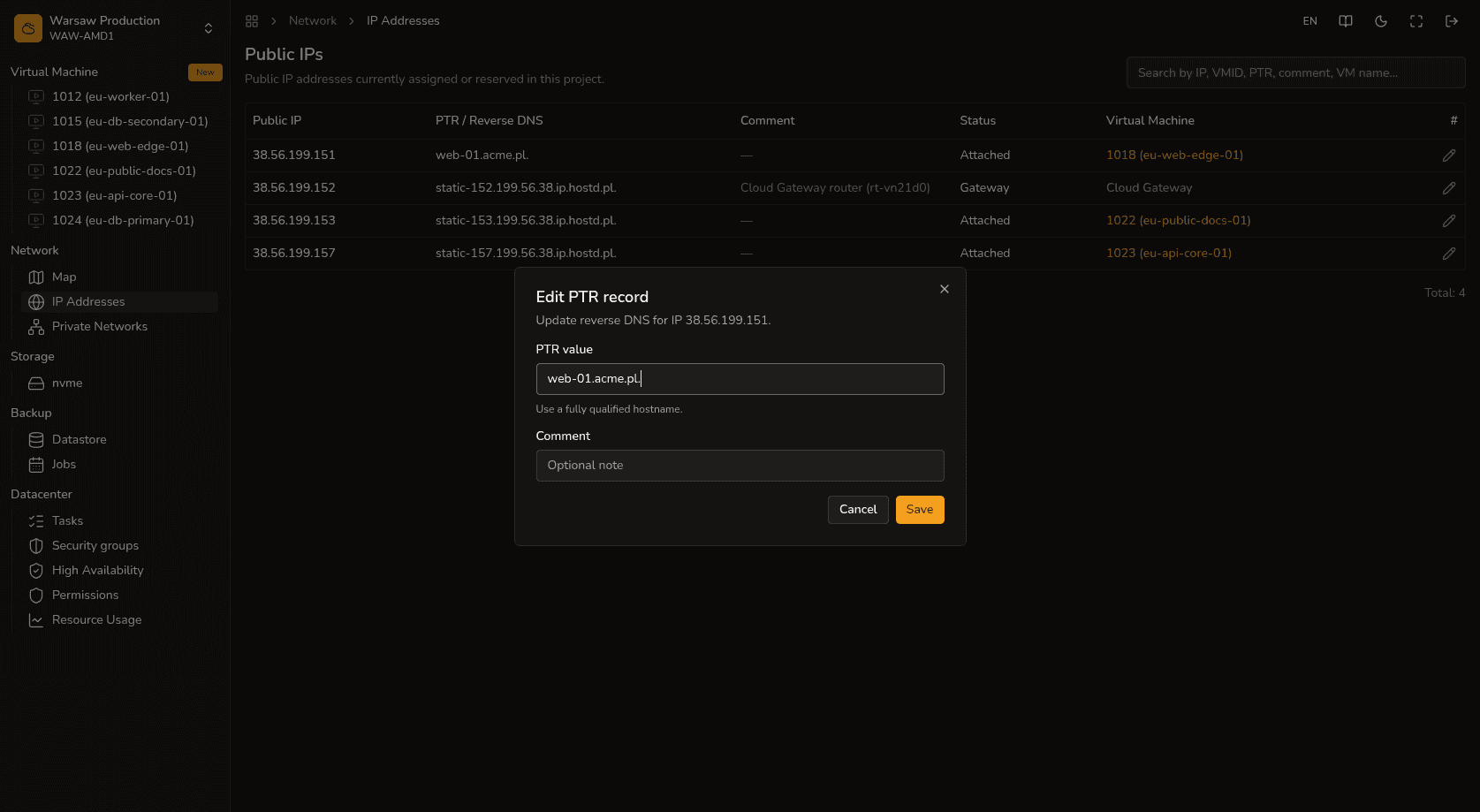
Steps
- Navigate to the
Network → Public IPssection. - Select the desired public IP address and click on the PTR edit field.
- Enter your domain name (FQDN) that you want to associate with this address.
- Click Save to save the changes.
Watch out
Managing direct DNS records for your domain (such as A, MX, CNAME, TXT) is handled on the side of your DNS provider (for example, Cloudflare or your domain registrar). Configuring PTR in our portal works exclusively for the reverse lookup of public IPv4 addresses allocated by our platform.
Next steps
- Floating IP — keeping an IP address when deleting a VM.
- Reverse proxy — routing HTTPS requests.