Private network
Create an internal VLAN and attach VMs with optional Cloud Gateway.
Before you begin
- Admin or Superadmin access to the project.
- Default limit: 1 private network per project.
Steps
- Open
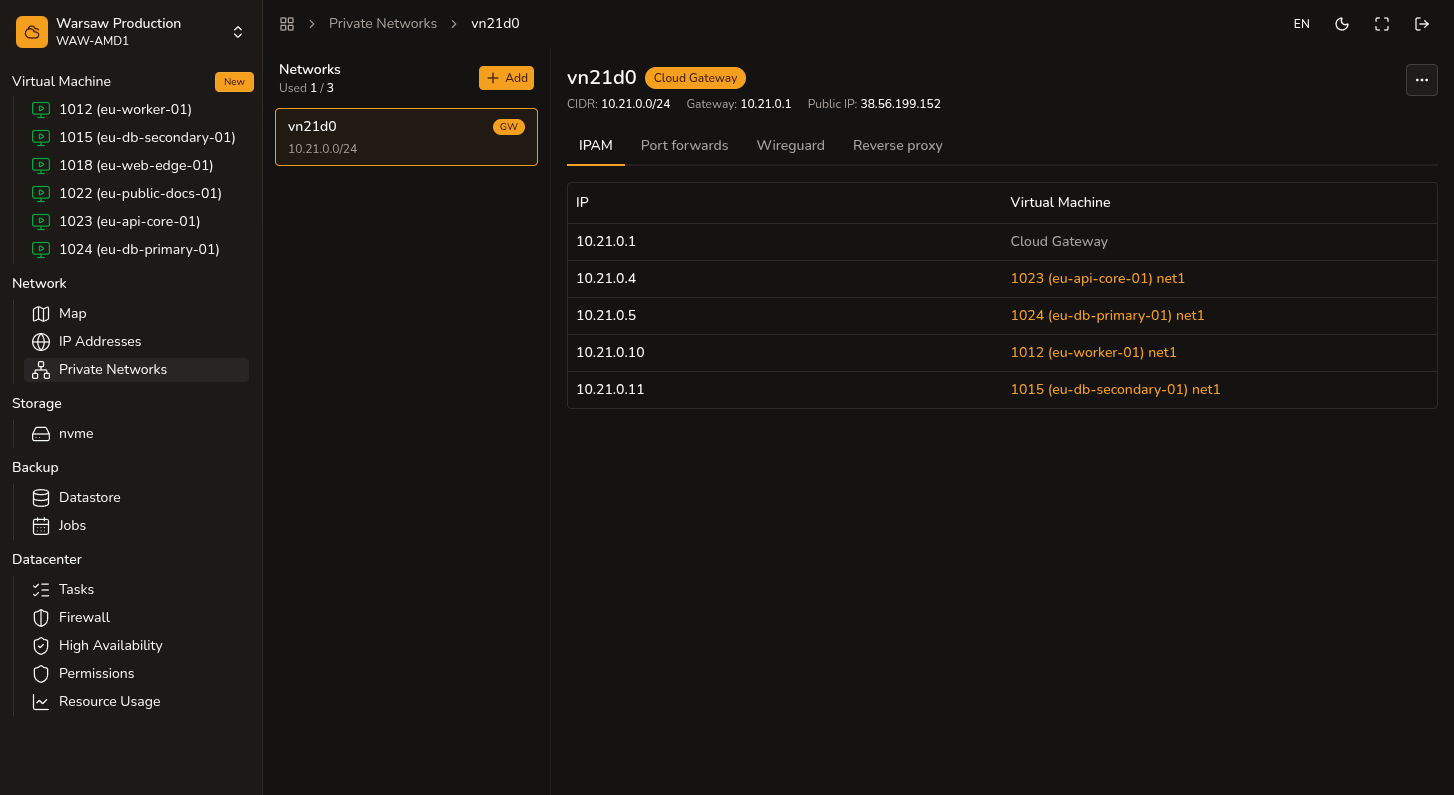
Network → Private networks. - Click New and create an internal VLAN with an IPv4 subnet.
- Enable Cloud Gateway if the network needs NAT, port forwards, WireGuard, or reverse proxy.
- Attach VMs to LAN in Create VM or
VM → Resize. - Check addresses in
IPAMfor the network.