Tasks
The task log displays the history of all infrastructure operations in your project (such as creating virtual machines, resizing them, starting and stopping them, etc.). This helps identify which team member initiated a specific action and check its current status.
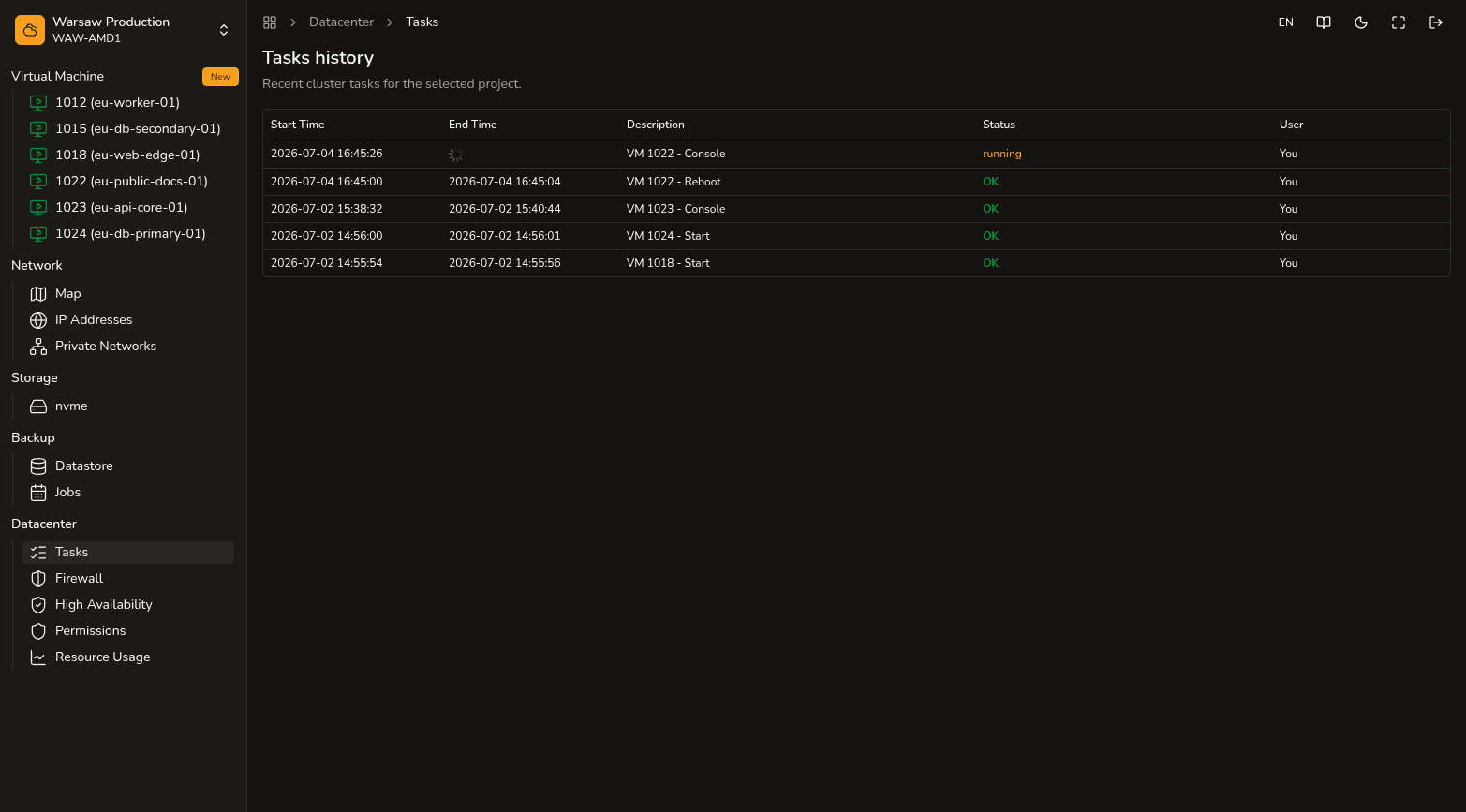
To view the log, open the Datacenter → Tasks section. Any project member, regardless of their role, can view the detailed table:
- Start Time / End Time — the exact start and completion times of the task.
- Operation Description — what specific action was performed.
- Status — the current execution status (
OK,running, or an error description if something went wrong). - User — the email of the team member who started the task.
Watch out
- This log only records operations related to cloud management at the hostd portal level. It does not display system events or logs inside the operating system of the virtual machine itself.
- Automated scheduled backup jobs and High Availability (HA) automatic restart operations are part of the platform’s internal system logic and are not displayed in this user actions table.
Next steps
- High Availability — how automatic restart works during failures.
- Create a VM — configuring new virtual machines.
- Resize a VM — changing virtual machine resources.