Cloud Gateway
NAT, port forwarding, WireGuard, and reverse proxy on Cloud Gateway.
What is Cloud Gateway?
A separate isolated router VM that hostd runs for your private network — not one of your VMs. You configure it only in the portal: NAT, port forwarding, WireGuard, and reverse proxy. There is no SSH or console access to the gateway itself — you do not log into it like a normal VM.
Settings are applied automatically on the hostd side. The router is not exposed to remote administrative access the way your own VMs are.
Cloud Gateway runs with High Availability (HA) enabled from the moment it is created. If a host fails, hostd restarts the router on another node — usually within a minute. You do not enable HA yourself in Datacenter, unlike your own VMs.
Enabling Cloud Gateway
Enable Cloud Gateway when you create a network (Network → Private networks → New → Enable Cloud Gateway) or later on an existing internal VLAN (Enable Cloud Gateway in the network menu).
The .1 address in the subnet must be free — hostd assigns it to Cloud Gateway automatically and uses it as the default gateway for VMs on that network.
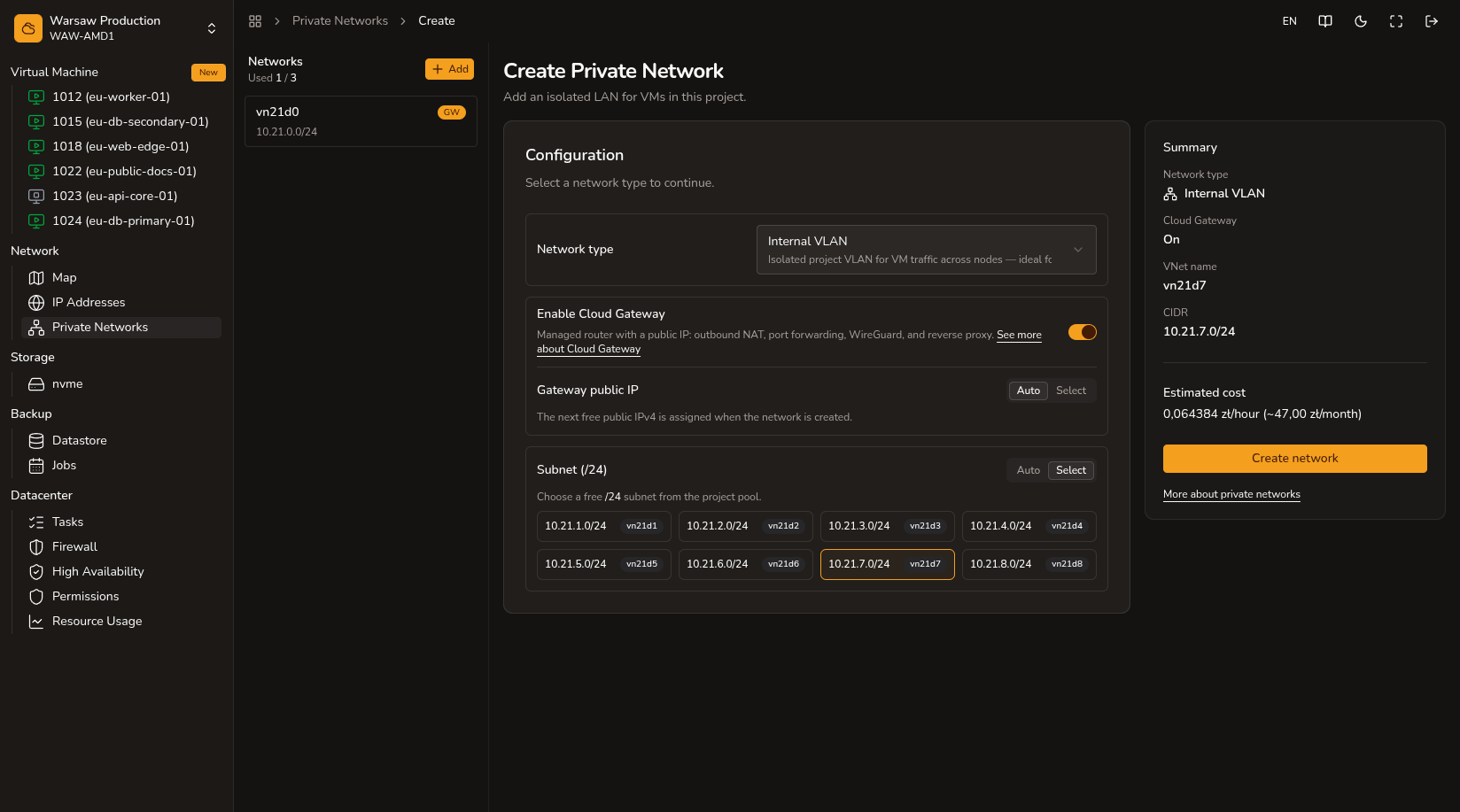
What you can do here
- Port forwarding — from the Cloud Gateway public IP to a VM on the private network.
- WireGuard — secure remote access to your private network.
- Reverse proxy — hostname, backend, and Let’s Encrypt.
Watch out
You can remove Cloud Gateway at any time — the private network stays.
Next steps
- Private network — internal VLAN with optional gateway.
- Resource usage — Cloud Gateway and public IP billing lines.