Security groups
Security Groups are templates for traffic filtering rules. They allow you to configure access rules (for example, opening ports for a web server or limiting access to a database) once and quickly apply them to multiple virtual machines.
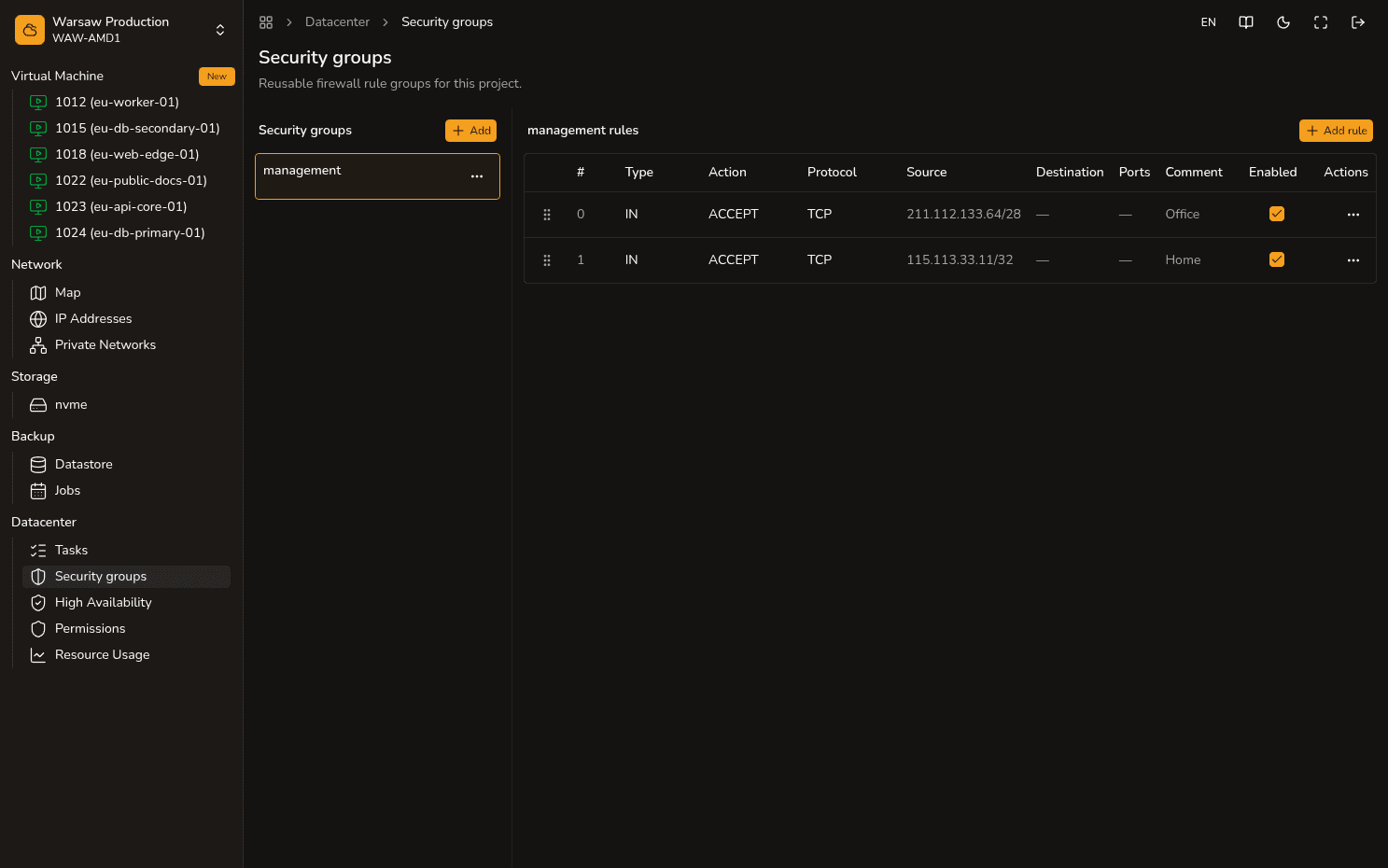
Steps
- Open the
Datacenter → Security groupssection. - Click Create group and enter a short Latin name for the group (up to 15 characters).
- Add the required rules for incoming (IN) or outgoing (OUT) traffic inside the created group.
- Go to the settings of the desired virtual machine, open the
VM → Firewalltab, and click the Insert Security Group button to attach the created rule template. - In the future, any changes you make to the security group in the Datacenter section will automatically apply to all attached virtual machines.
Watch out
A security group will only start filtering a virtual machine’s traffic after you attach it to that VM and make sure that the firewall is enabled (the Global Status switch is set to the On position in the VM → Firewall settings).
Next steps
- Firewall and security groups — how to configure individual rules for a VM.
- Getting started — creating your first secure virtual machine.