Datastore
In the Datastore section, you can inspect existing backups, check how much space they occupy, set protection for critical copies, or manually delete unnecessary volumes.
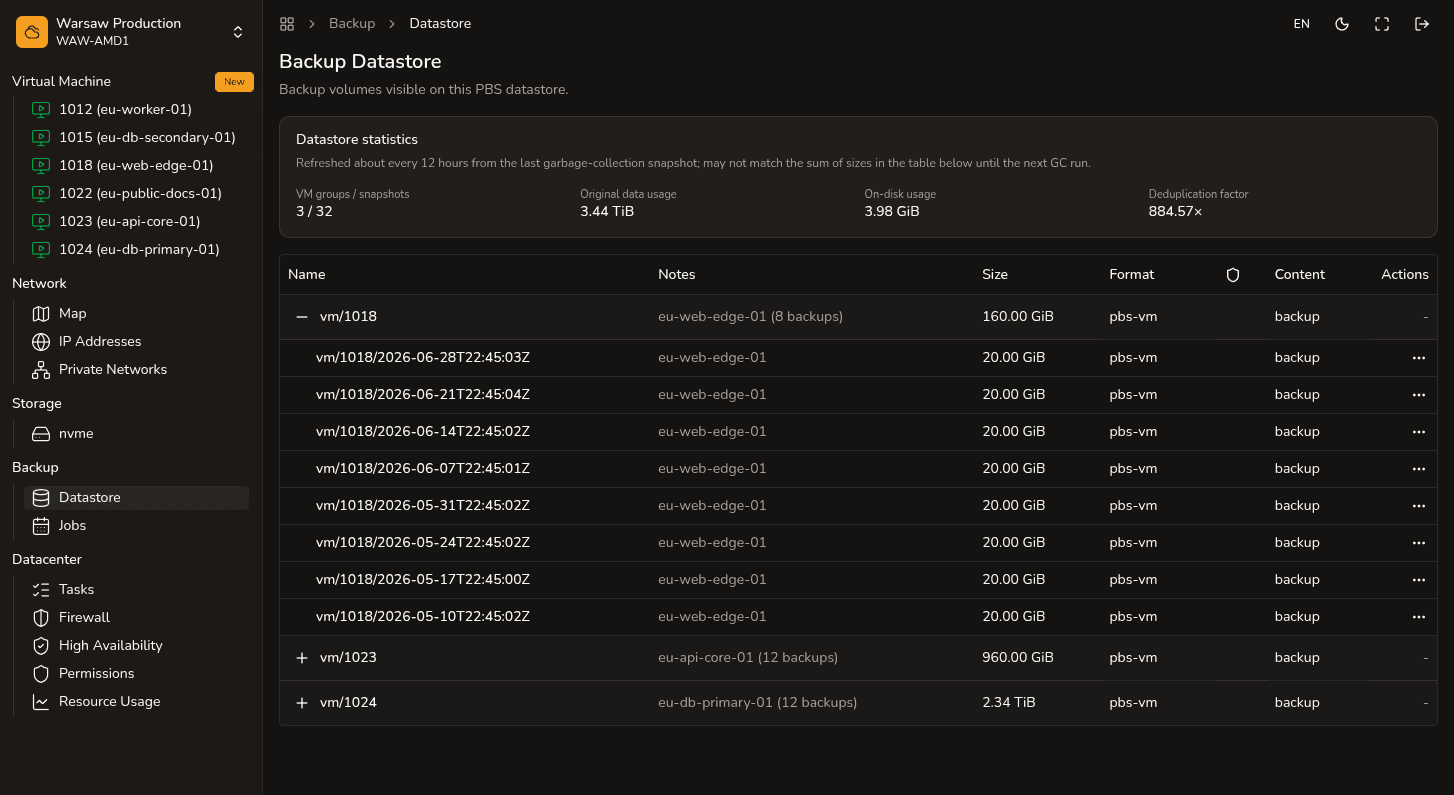
Steps
- Open the
Backup → Datastoresection. - Find the relevant virtual machine in the list.
- Expand it to see specific backup copies (volumes). You can check their logical size, actual on-disk size, and creation date.
- If a copy is critically important, enable protection for it. This will safeguard it against automatic or accidental deletion.
- Delete copies manually only when you are absolutely sure that the data is no longer needed.
Watch out
To delete a protected backup, you must first remove its protection. Remember that if you delete a virtual machine but keep its backups, the storage space used for them will continue to be billed.
Next steps
- Backup jobs — configuring schedules.
- File restore — downloading individual files.
- Delete a VM — how to delete a VM along with its backups.