Port forwarding
Port forwarding (DNAT) allows you to receive network traffic on the public IP address of your Cloud Gateway and automatically forward it to a specific virtual machine inside the private network.
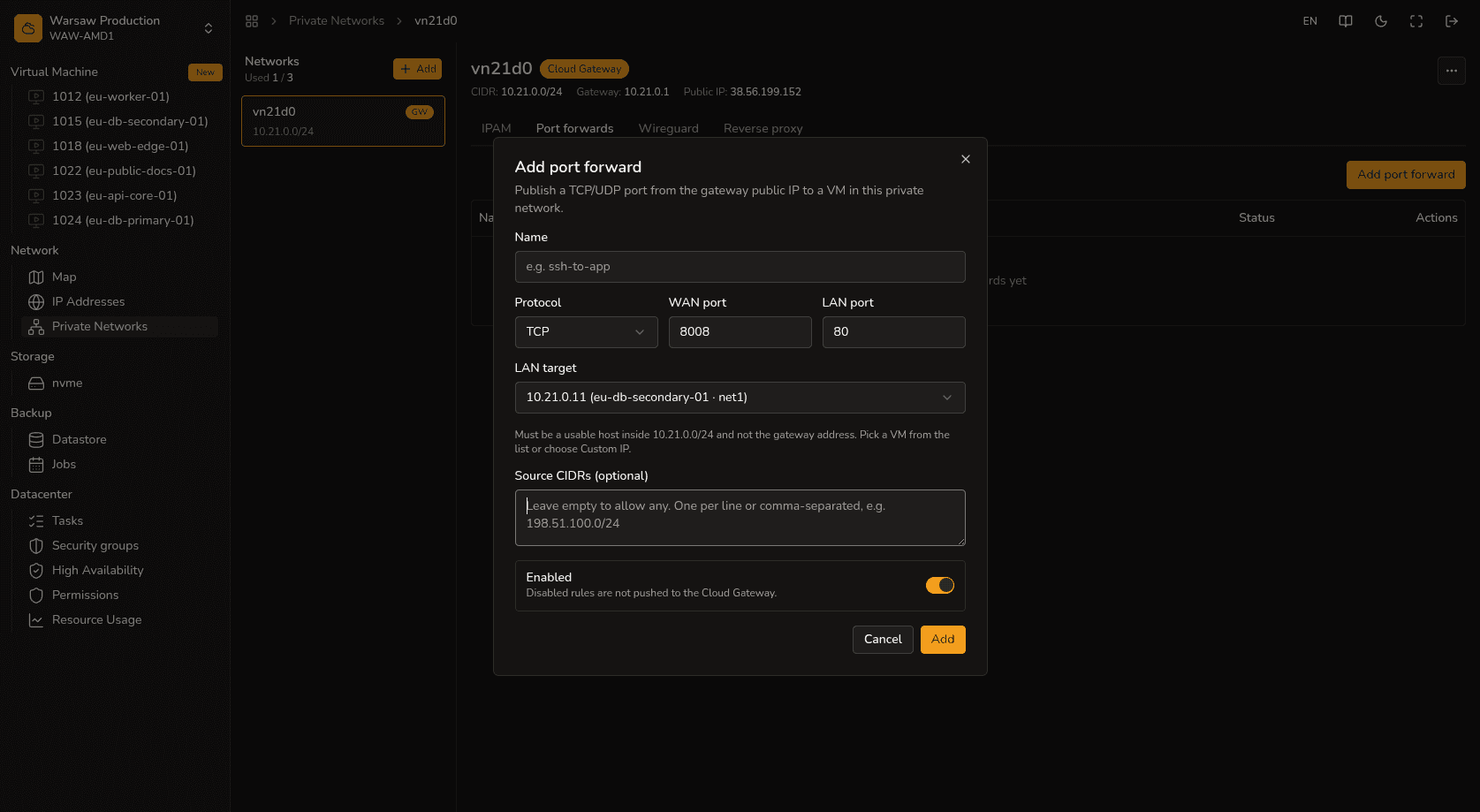
Steps
- Open your private network settings and go to the Port forwards tab.
- Click Add and specify the parameters: protocol, public port on the router, as well as the internal IP address and port (backend) of the target VM.
- Click Save to save the rule.
- Verify the connection from the outside.
Watch out
If you plan to use the Reverse proxy service, remember that TCP ports 80 and 443 will be reserved for it and cannot be used for standard port forwarding. In this case, use other public ports or configure proxy routing for the traffic.
Next steps
- Reverse proxy — routing HTTP traffic.
- WireGuard — configuring a VPN.
- Private network — local network management.