Cloud Gateway
Cloud Gateway: your managed router for private networks (NAT, port forwarding, WireGuard, and reverse proxy).
Cloud Gateway is a managed router that hostd automatically deploys for your private network. It allows you to configure NAT, port forwarding, WireGuard VPN, and a reverse proxy.
What is it?
It is a completely isolated router virtual machine. Its main difference from your standard VMs is that you do not have SSH or console access to it. All settings are configured exclusively through the hostd portal interface, and the infrastructure automatically applies them under the hood.
To ensure reliability, Cloud Gateway runs with High Availability (HA) enabled right from the moment of creation. If the physical server hosting your router fails, the system will automatically restart it on another working node (this usually takes less than a minute). You do not need to configure HA for it manually.
When you need it
Cloud Gateway is useful when VMs on a private network do not have their own public IPs, and you need:
- outbound internet access (NAT) via the gateway WAN address;
- inbound access to specific services on VMs (port forwarding);
- secure admin access to the private network (WireGuard);
- HTTP/HTTPS publishing with a Let's Encrypt certificate (reverse proxy).
If an isolated VLAN without internet routing is enough, you can disable or remove Cloud Gateway at any time.
How to enable Cloud Gateway
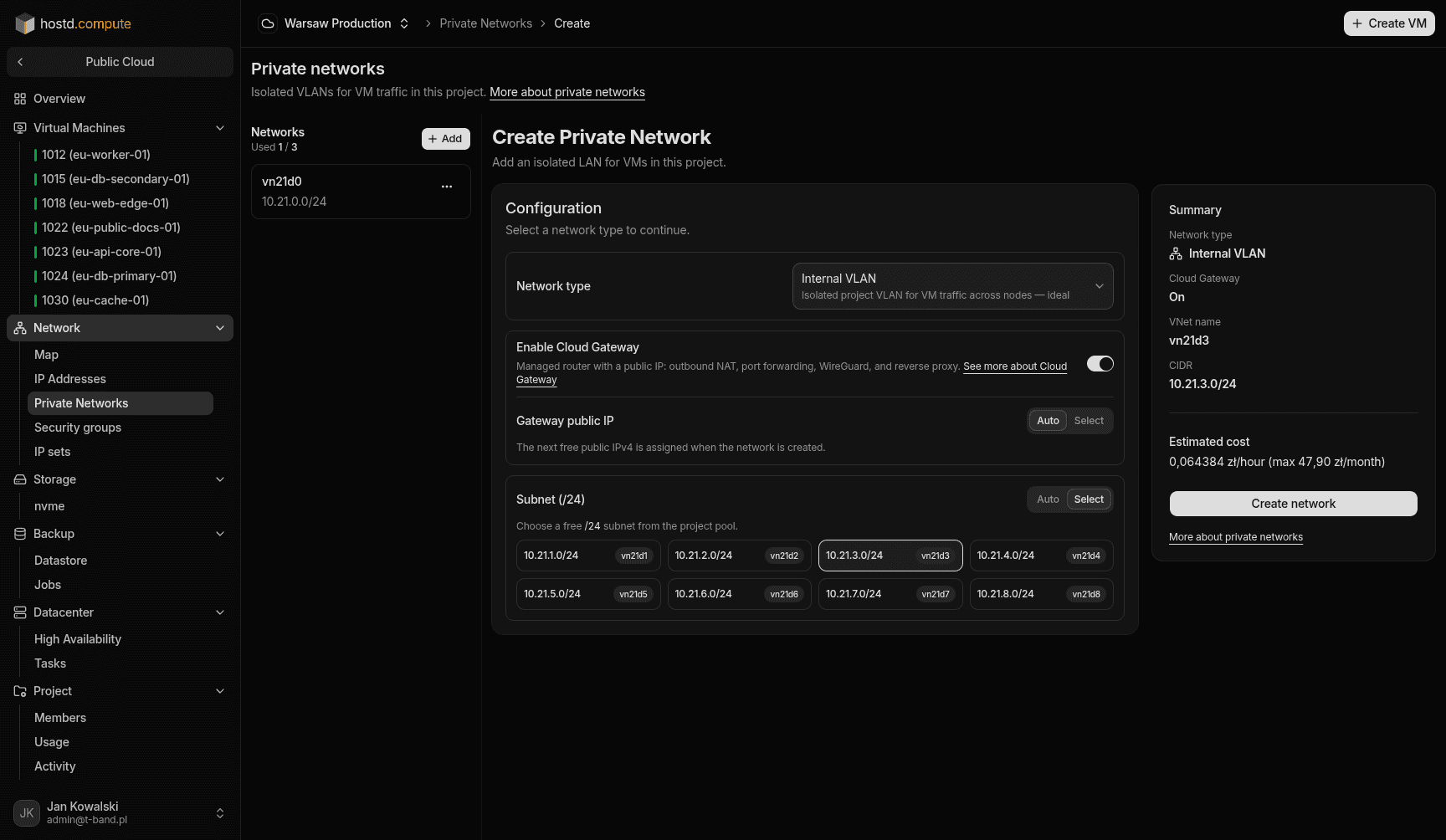
You can activate it when creating a new private network (Network → Private networks → New → Enable Cloud Gateway) or add it later to an existing VLAN (using the Enable Cloud Gateway button in the network's menu). For Internal VLAN networks, the gateway is enabled by default when you create the network.
The router will automatically occupy the .1 IP address in your subnet and act as the default gateway for all connected VMs. Therefore, make sure this address is free.
You can assign the gateway's public IPv4 automatically (first free address from the pool) or pick one already reserved in the project. The public IP is billed separately from the Cloud Gateway service itself.
Services
Once the gateway is running, you configure in the portal:
Port forwarding
Forwarding ports from the router's public IP address to the internal IP addresses of your VMs.
WireGuard
Secure VPN access to the private network for your administrators or developers.
Reverse proxy
Configuring an HTTP/HTTPS proxy with automatic Let's Encrypt SSL certificate generation.
Watch out
You can completely delete Cloud Gateway at any time to stop its billing. The private network (VLAN) itself will not be deleted, and your VMs will continue to communicate with each other over the local network.